Web Application vs Website: Which One Does Your Business Need?
The line between websites and web applications is blurring. Understanding the difference is the first step toward making the right technology investment for your business.
Why This Question Matters
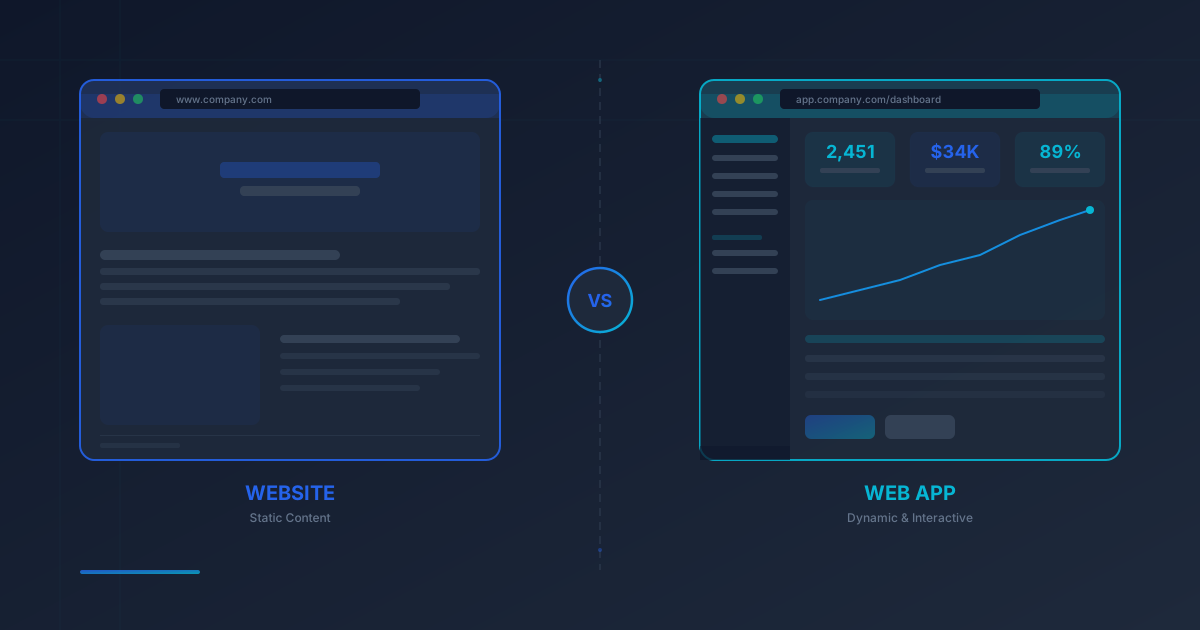
When a business owner says "I need a website," they might actually need a web application. When a startup founder says "we are building a web app," sometimes a well-designed website would solve their problem at a fraction of the cost. Confusing these two concepts leads to wasted budgets, missed deadlines and products that do not match actual business needs.
This guide breaks down the web application vs website debate into concrete, actionable advice. By the end, you will know exactly which approach fits your project, what technology stack to consider and how much you should expect to spend.
What Is a Website?
A website is a collection of publicly accessible web pages that primarily delivers information to visitors. Think of it as a digital brochure, storefront or publication. Users consume content — they read, browse and navigate — but they rarely create, modify or interact with data in a meaningful way.
Core characteristics of a website:
- Content-driven: The main purpose is to present text, images, video or documents.
- Read-mostly interaction: Visitors consume information rather than producing it.
- Uniform experience: Every visitor sees roughly the same content (aside from basic personalization like language).
- Simple backend: Typically powered by a CMS like WordPress, with little custom business logic.
- SEO-focused: Content is designed to rank well in search engines and attract organic traffic.
Classic examples: Corporate sites, personal blogs, news portals, restaurant pages, portfolio sites, landing pages and documentation hubs.
What Is a Web Application?
A custom web application is interactive software that runs in a browser. Users do not just read — they log in, enter data, trigger processes, collaborate with others and receive personalized outputs. A web app replaces desktop software, manual workflows or paper-based processes with a digital system accessible from any device.
Core characteristics of a web application:
- Task-driven: The purpose is to help users accomplish specific goals — manage orders, process payments, track shipments, communicate in real time.
- Interactive data flow: Users create, read, update and delete data (full CRUD operations).
- Personalized experience: Each user sees different content based on their role, permissions and history.
- Complex backend: Custom business logic, database operations, API integrations and authentication systems.
- User accounts: Login, roles and access control are fundamental.
Classic examples: Gmail, Google Docs, Trello, Slack, online banking portals, CRM systems, booking platforms and project management tools.
Key Differences at a Glance
The following comparison table summarizes the fundamental differences between a web application and a website across the dimensions that matter most for business decisions.
| Criteria | Website | Web Application |
|---|---|---|
| Primary purpose | Inform and present content | Enable users to perform tasks |
| User interaction | Read-only (browse, click, read) | Full CRUD (create, edit, delete data) |
| Authentication | Usually not required | Login, roles and permissions |
| Content | Same for all visitors | Personalized per user |
| Backend complexity | Simple (CMS, static files) | Complex (custom logic, APIs, DB) |
| Technology stack | WordPress, HTML/CSS, Webflow | React, Laravel, Node.js, PostgreSQL |
| Development time | 1-6 weeks | 2-12 months |
| Cost range | 500 - 5,000 EUR | 5,000 - 50,000+ EUR |
| Maintenance | Low (content updates, hosting) | High (bug fixes, scaling, features) |
When You Need a Website
A website is the right choice when your primary goal is to establish an online presence, share information and attract potential customers through search engines. If your visitors are mainly looking for information — who you are, what you offer, how to contact you — a website delivers that efficiently and affordably.
You need a website when:
- You want to present your business, services or portfolio online.
- Your main traffic source is organic search (SEO) or paid ads.
- Visitors do not need to log in or manage personal data.
- Content changes infrequently — weekly blog posts or monthly updates.
- Your budget is under 5,000 EUR and your timeline is under 6 weeks.
- You need a landing page for a marketing campaign.
A well-built website with strong SEO can generate leads consistently for years with minimal maintenance. For most small and medium businesses, this is the highest-ROI digital investment you can make.
When You Need a Web Application
A custom web application becomes necessary when your business needs go beyond presenting information. If users need to log in, manage data, complete transactions or interact with complex workflows, you are in web app territory.
You need a web application when:
- Users must create accounts and manage personal dashboards.
- Your business process involves data entry, approvals or multi-step workflows.
- You need real-time features — chat, notifications, live updates.
- Different user roles require different access levels (admin, staff, customer).
- You are replacing a manual process (spreadsheets, paper forms, email chains) with software.
- Third-party integrations (payment gateways, APIs, external databases) are essential.
- You are building a SaaS product or a platform that others will use daily.
The investment is larger, but a well-built web application can automate operations, reduce labour costs and create entirely new revenue streams. For example, a transfer booking system replaces phone calls and email with a 24/7 automated workflow — saving hours of manual work every week.
The Hybrid Approach: Best of Both Worlds
In practice, many projects sit somewhere between a pure website and a full web application. These hybrid solutions combine a public-facing, SEO-optimized website with application-like features for specific use cases.
Common hybrid examples:
- E-commerce stores (Shopify, WooCommerce): The product catalog and blog pages function as a website, while the cart, checkout and account area function as a web app.
- Booking websites: The homepage, service descriptions and blog are static website content. The reservation form, availability calendar and confirmation system are web application features.
- Membership sites: Public content attracts visitors through SEO. Gated content behind a login provides the web app experience.
- SaaS marketing + product: The marketing site (pricing page, features, blog) is a website. The logged-in product dashboard is a web application, often built with a completely different tech stack.
If your needs fall into this category, the smartest approach is often to start with a website for your public-facing content and add application features incrementally as your business grows.
Technology Stack Comparison
The choice of technology directly impacts development speed, cost, performance and long-term maintainability. Here is how the stacks typically differ.
Website Tech Stack
- CMS: WordPress, Webflow, Ghost or a static site generator (Hugo, Astro)
- Frontend: HTML, CSS, Tailwind CSS, basic JavaScript
- Hosting: Shared hosting or JAMstack CDN (Netlify, Vercel)
- Database: MySQL (via CMS) or none (static sites)
- Cost drivers: Theme customization, content creation, SEO optimization
Web Application Tech Stack
- Backend: PHP (Laravel), Python (Django), Node.js (Express), or Ruby on Rails
- Frontend: React, Vue.js, Alpine.js or a full framework like Next.js
- Database: PostgreSQL, MySQL with complex schemas, Redis for caching
- Infrastructure: VPS, cloud hosting (AWS, DigitalOcean), CI/CD pipeline
- Cost drivers: Custom business logic, API integrations, security, testing, ongoing maintenance
For hybrid projects, it is common to see WordPress handling the public content while a custom PHP or Node.js backend powers the application features — all served under the same domain.
Cost Comparison
Budget is often the deciding factor. Here is a realistic breakdown based on European market rates in 2026.
| Cost Category | Website | Web Application |
|---|---|---|
| Initial development | 500 - 5,000 EUR | 5,000 - 50,000+ EUR |
| Hosting (annual) | 50 - 200 EUR | 200 - 1,200 EUR |
| Maintenance (annual) | 200 - 600 EUR | 1,000 - 6,000 EUR |
| 3-year total cost | 1,250 - 7,400 EUR | 8,600 - 71,600+ EUR |
These numbers make the case clearly: if a website solves your problem, do not build a web application. But if your business requires application-level features, cutting corners with a website will cost more in the long run through workarounds, plugin conflicts and eventual rewrites.
Decision Framework: Website or Web App?
Use this step-by-step framework to determine which approach is right for your project. Answer each question honestly, and the path will become clear.
1. Do users need to log in and manage personal data?
No → Lean toward a website. Yes → Move to question 2.
2. Do users create, edit or delete data (beyond contact forms)?
No → A website with a simple login may suffice. Yes → You need a web application.
3. Are there multiple user roles with different permissions?
No → Consider a hybrid approach. Yes → Definitely a web application.
4. Does the project replace a manual process or spreadsheet?
No → A website likely covers your needs. Yes → Build a web application.
5. Is your budget above 5,000 EUR with a timeline of 2+ months?
No → Start with a website and plan app features for phase 2. Yes → A web application is feasible.
Real-World Examples
Seeing how real products fall on the website-to-web-app spectrum makes the distinction concrete.
Pure Website: A Company Blog
A WordPress blog publishes articles, displays them in categories and lets visitors read. There is no login, no user-generated content and no complex backend logic. It is entirely content-driven and SEO-optimized. Maintenance involves publishing new posts and keeping WordPress updated. Cost: 500-2,000 EUR.
Pure Web Application: Gmail
Gmail is a full web application. Every user logs in to a personalized inbox. They compose, send, receive, label, search and filter emails. The interface behaves like desktop software — with drag-and-drop, keyboard shortcuts and real-time notifications. There is no public-facing content to index by search engines. The entire experience is behind authentication.
Hybrid: Shopify Store
A Shopify-powered online store is a textbook hybrid. The storefront — product listings, category pages, blog posts, the "About Us" page — functions as a website. It is publicly accessible, indexable by Google and designed for SEO. But the shopping cart, checkout process, user accounts, order history and admin dashboard are all web application features with full interactivity, authentication and data management.
Hybrid: Booking Platform
Consider a transfer booking system. The public pages describe routes, display pricing and showcase testimonials — classic website content. But the reservation form, real-time availability check, payment processing and admin panel for managing bookings are custom web application features. The public site attracts visitors; the application converts them into customers.
Common Mistakes to Avoid
After building dozens of web projects, we see the same mistakes repeated. Here is how to avoid them.
- Over-engineering: Building a custom web application when a WordPress site with a booking plugin would suffice. This wastes budget and delays launch.
- Under-engineering: Forcing web app features into a CMS using plugins. Five plugins duct-taped together create maintenance nightmares and security vulnerabilities.
- Ignoring the hybrid path: Many projects benefit from a phased approach — launch a website first, then add application features as the business validates demand.
- Skipping the requirements phase: Jumping into development without clearly defining whether you need a website or a web app leads to scope creep and budget overruns.
- Choosing technology before strategy: "We want a React app" is not a business requirement. Start with what your users need, then choose the technology that delivers it most efficiently.
Making Your Decision
The web application vs website question ultimately comes down to one thing: what do your users need to do? If they need to read and find information, build a website. If they need to perform tasks and manage data, build a web application. If they need both, start with a website and add application features where they create the most value.
Regardless of which path you choose, the most important factors remain the same — clean code, fast performance, mobile responsiveness, security and a development partner who understands your business goals, not just the technology.
Not sure which approach fits your project? Get in touch for a free consultation. We will analyze your requirements and recommend the most cost-effective solution — whether that is a website, a web application or a phased hybrid approach.
Related Articles
How Much Does a Website Cost in 2026?
Full price guide for websites in 2026 — from $500 landing pages to $50K+ web apps, with hidden costs and budget tips.
Read →AI Integration for Business
Step-by-step guide to integrating AI into your business — costs, ROI, real-world use cases and implementation framework.
Read →Need a Website or Web Application?
Tell us about your project and we will recommend the best approach — whether that is a website, a custom web application or a hybrid solution. Free consultation, no obligation.
Discuss Your Project